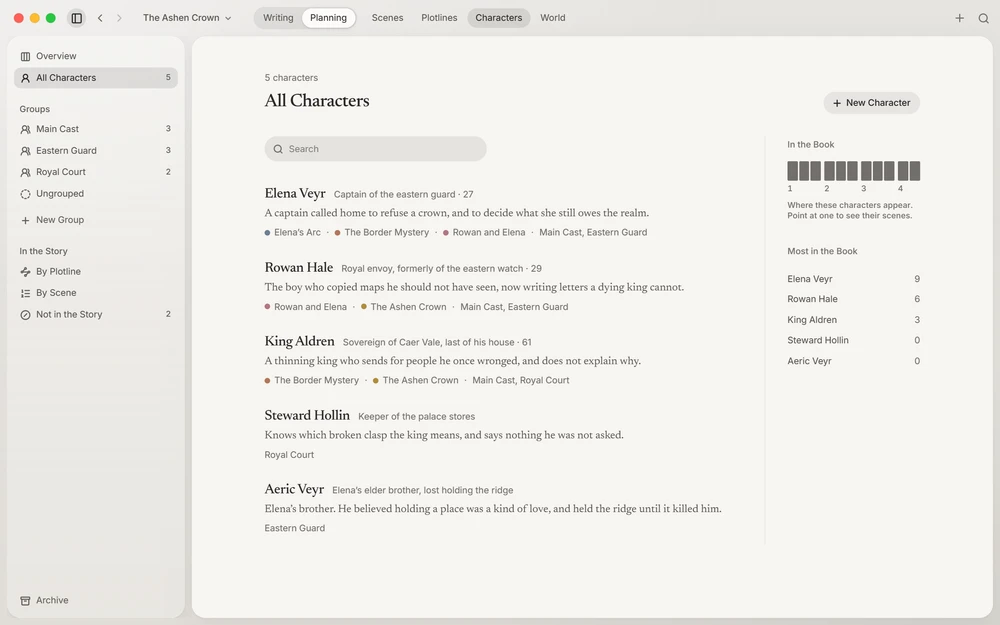
Lists, then pages
Characters (⌘4Ctrl+4) and World (⌘5Ctrl+5) each show a list as a page, and each character or entry as a page of its own. Escape goes from a page back to its list. On a list, just type to search: names, summaries, and what’s written inside the pages, whatever the accents.
The lists of characters answer two questions, kept apart. How you organize the cast: All Characters, your groups, and Ungrouped. Where people are in the story: By Plotline, By Scene, and Not in the Story, for anyone no scene has yet.
The world is listed by category (Places, Organizations, Objects, Lore, and any you add, each with its own icon), By Scene, or Not in the Story.
A character’s page
Their role, age, and summary; four motivations (goals, desires, fears, conflicts); Facts, short ones to check at a glance, such as their eyes or their height; and About, made of topics you name (their past, their voice, what they hide), each with room to write. None are built in: an empty About offers topics to add in one press, the ones you keep using first.
Pictures you gather for reference (a face, a place, a mood) sit in a band under the summary. Drop or paste them anywhere on the page. Context shows a character’s facts and pictures while you write.
Entries and their parts
A world entry has a summary, facts (a place’s population, who rules it), an About, and pictures too. An entry can be part of another: a hall in a city, a city in a march, an order inside a church, a battle within a war. The lists show each entry’s parts under it.
Connections
A connection joins any two characters or entries (“childhood friends”, “capital of”). It’s written once, and shown on both pages and in Context.
Across the story
The Overview of Characters shows who is in each scene and whose eyes it’s seen through, with a line from each character’s first scene to their last, dotted while they’re away, so absences show. A dotted ring marks a scene whose text mentions someone its plan doesn’t have yet: click it to add them.